Custom Dashboard Creation for Revenue Intelligence
September 10, 2025

Did you know that companies using Revenue Intelligence see 10-15% higher win rates and 25% faster sales cycles than those that don't?
That's right - these aren't just random numbers. They reflect the game-changing impact of having the right data at your fingertips. However, the challenge isn't collecting data anymore—it's making sense of it all. This is where custom dashboards come into play.
For many teams, revenue intelligence software has become essential for tracking performance metrics, but without proper visualization, those insights remain locked away. Meanwhile, the best conversation intelligence software captures valuable customer interactions that could transform your sales approach—if only you could see the patterns.
I've spent years helping companies transform their raw data into actionable insights, and I've found that custom dashboards are the secret weapon that separates struggling teams from revenue champions. They cut through the noise and spotlight exactly what matters.
In this article, I'll show you how to create custom dashboards that turn your revenue data into a competitive advantage. We'll cover everything from essential components to real-world applications that will supercharge your revenue intelligence efforts.
Ready to build dashboards that actually drive decisions? Let's jump in!
STOP GUESSING YOUR PIPELINE
START GROWING IT WITH AI SALES!!
A custom revenue dashboard serves as a specialized command center for your financial data. It's an interactive visual interface that brings together critical metrics affecting your revenue stream in one unified view. Unlike standard reporting tools, these dashboards transform complex financial information into clear, straightforward visuals that enable quick decision-making.
Think of a custom revenue dashboard as the financial nerve center of your business. It collects and organizes data from multiple sources, creating a single source of truth for all revenue-related activities. The key difference lies in the word "custom" – these dashboards are specifically tailored to your unique business needs, metrics, and workflows.
Custom revenue dashboards differ fundamentally from generic ones in several important ways:
They display only the most relevant metrics for your specific business objectives
They integrate precisely the data sources you need
They offer personalized visualization styles that match your team's preferences
They adapt to your particular sales process and revenue model
The value of customization cannot be overstated. While standard dashboards provide pre-built templates with limited flexibility, custom dashboards allow full tailoring to specific business requirements. This targeted approach ensures decision-makers access metrics directly relevant to their roles, supporting more accurate and contextually appropriate decisions.
For instance, imagine you're leading an e-commerce company. Your custom revenue dashboard might instantly show daily sales figures, customer acquisition costs, and inventory turnover – all on a single screen. This visibility allows you to quickly identify which products drive revenue, spot operational inefficiencies, and adjust your strategy accordingly.
At its core, a custom revenue dashboard transforms raw financial data into actionable insights. It presents crucial information about revenue trends, customer performance, and product sales in a digestible format. Instead of piecing together information from scattered sources, you gain immediate access to the complete financial picture.
The real power comes from automation and real-time updates. These dashboards pull live data from your revenue intelligence software, accounting systems, CRM platforms, and other tools. This eliminates manual data compilation, reduces errors, and saves valuable time that can be redirected toward analysis and strategic planning.
Essentially, a good custom dashboard provides:
Instant visibility into financial performance
Actionable insights for faster decision-making
Automated reporting that eliminates manual work
Personalized views for different team members
Furthermore, these dashboards facilitate better collaboration across departments. Sales teams can track pipeline and conversions, marketing can measure campaign ROI, and finance can monitor recurring revenue metrics – all from the same data source but with views tailored to each function.
A well-designed dashboard turns raw data into real-time insights that empower smarter, faster decisions. Instead of waiting for monthly reports, you get live updates on sales performance that allow you to recognize underperforming areas, high-value opportunities, or shifts in customer behavior that require immediate attention.
Additionally, custom dashboards adapt as your business evolves. They remain highly relevant through changes in your business model, scaling operations, or shifting market conditions. This flexibility ensures your revenue intelligence capabilities grow alongside your company.
In essence, a custom revenue dashboard provides the visual foundation for effective revenue intelligence – giving you the financial clarity needed to drive growth strategically rather than through guesswork.
Ready to turn your Rep
INTO BEST PERFORMER ?
The power of custom dashboards lies in their ability to turn mountains of financial data into clear, actionable insights. Modern businesses collect vast amounts of information, yet 70% remains trapped in siloed systems. Custom dashboards break down these barriers, transforming how teams utilize Revenue Intelligence to drive growth.
Traditional financial reporting often means waiting for monthly reports—a delay that can cost opportunities in today's fast-paced markets. Custom revenue dashboards eliminate this waiting game, providing immediate access to critical financial metrics.
With real-time monitoring capabilities, teams can track business health as it happens. This enables finance leaders to conduct budget variance analysis by comparing actual performance against forecasts across key metrics like monthly recurring revenue, churn, and customer acquisition costs. When problems emerge, they can be addressed immediately rather than discovered weeks later in a monthly report.
The visual nature of dashboards makes complex financial information accessible to everyone. Charts, graphs, and other visualization tools help teams see patterns and relationships that might remain hidden in spreadsheets. For example, finance professionals can quickly understand how actual expenses compare to forecasts for a given time period and trending over time for each expense type.
Moreover, businesses using Revenue Intelligence can reduce their sales cycles by up to 30% and increase win rates by up to 25%, largely due to this real-time visibility that enables proactive management.
One dashboard doesn't serve all purposes effectively. Different teams require custom views that highlight metrics relevant to their specific objectives and responsibilities.
For sales teams, dashboards typically focus on pipeline health, deal progression, and quota attainment. Sales reps need to track their own deals and activities, whereas managers monitor team performance and pipeline health. Marketing teams benefit from dashboards showing campaign ROI and lead conversion rates, and finance teams need visibility into metrics like MRR, churn, and forecasts.
Custom dashboards respect these differences by delivering role-specific views:
CFOs and finance directors need both high-level trends and detailed insights, including variance analysis and forecasting tools
CEOs prefer simplified dashboards highlighting major trends and exceptions
Finance team members require operational dashboards tracking transaction flows and process metrics
Considering that 80% of customers view the experience a company provides as important as its products and services, tailored dashboards help teams align their efforts toward creating exceptional customer experiences.
Perhaps the most significant advantage of custom dashboards is how they unify data from multiple sources into a single, coherent view. A CFO dashboard, for instance, integrates data from patient records, finance, and operational systems to present complete cost profiles.
This unified approach transforms decision-making in several ways:
First, it eliminates time-consuming debates about whose data is correct. When everyone works from the same source of truth, teams align on what the data actually says. Second, it provides cross-functional visibility that promotes collaboration. Marketing can optimize campaign spend based on actual CAC:LTV ratios, while sales teams can focus efforts on high-performing segments.
Third, unified dashboards allow for better pattern recognition. An advanced financial dashboard taps into analytics engines that let users explore relationships between all values in their data model—divisions, expense types, cost centers, and products. This exploration capability uncovers insights that might otherwise remain hidden.
The result? Companies can identify stalled deals, monitor sales quotas, and adjust targets dynamically. This agility is particularly valuable in today's business environment where making decisions quickly can mean the difference between capturing or losing market opportunities.
Building an effective revenue intelligence dashboard requires carefully selected components that transform raw data into strategic insights. A well-designed dashboard combines essential metrics, intuitive visualizations, and interactive elements to create a powerful decision-making tool. Let's examine these crucial building blocks.

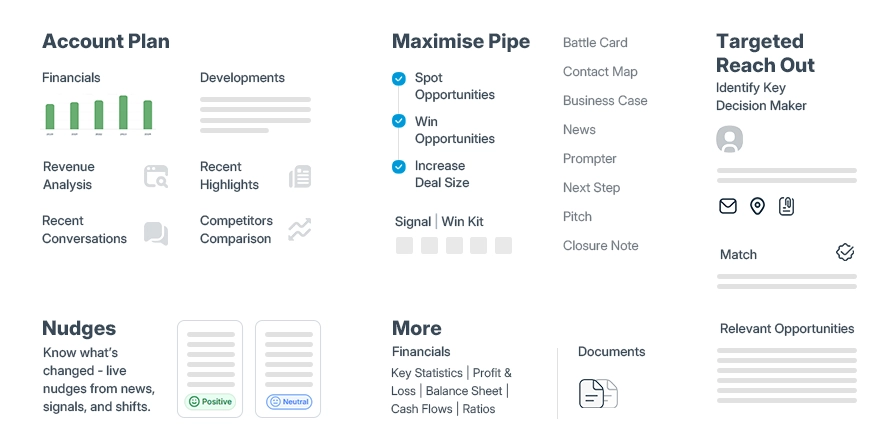
The foundation of any revenue intelligence dashboard lies in selecting the right metrics. These key performance indicators serve as the vital signs of your financial health:
Revenue metrics should include total sales revenue, units sold, average order value (AOV), and sales pipeline status. These fundamentals provide immediate visibility into your sales performance and conversion effectiveness.
Profitability indicators are equally important, such as profit margin, cost of goods sold (COGS), operating expenses, net profit, and gross profit margin. These metrics reveal not just how much you're selling, but how efficiently you're generating actual profit.
Revenue health metrics should track gross revenue, net revenue, revenue leakage, bad debt expense, and days in accounts receivable. These nuanced measurements help identify potential issues in your revenue cycle before they become problematic.
For forward-looking insights, include revenue trends, cash flow projections, financial ratios, and budget variances. These predictive metrics enable proactive management rather than reactive responses.
Customer economics metrics like customer acquisition cost (CAC) and lifetime value (LTV) help evaluate the sustainability of your growth. Businesses using advanced data visualization tools see a 28% increase in B2B sales revenue when these metrics are properly visualized.
Effective visualizations transform complex data into intuitive insights. The goal is making the main message clear within seconds.
Charts and graphs serve as the primary visual elements. Line charts work best for showing changes over time, bar charts for comparing categories, and pie charts for displaying proportions (limited to five categories). Strategic use of color enhances comprehension—green often signals growth while red highlights declines.
Visual hierarchy is critical for focusing attention. Strip away unnecessary elements like excessive gridlines, decorative features, and heavy borders that don't add value. Use descriptive titles that tell the story immediately, such as "Q4 2024 Revenue Growth: 23% Increase Over Q3".
White space gives your visuals breathing room, helping viewers focus on what's important. Complement this with annotations and callouts that provide context—marking a revenue spike as the result of a product launch helps viewers understand the "why" behind the data.
Modern dashboards aren't static reports—they're interactive tools that transform passive data consumption into active exploration.
Filters allow users to slice data by specific criteria like region, time period, or product category. This capability lets teams zoom in on precisely what matters to them without getting overwhelmed by irrelevant information.
Drill-down capabilities take this a step further by enabling users to click into high-level metrics for detailed breakdowns. For example, clicking on "vehicle revenue" would apply a filter on vehicle sales data and drill into its pre-defined hierarchy (e.g., sales revenue by regions).
Drill-to-detail shows atomic events related to the filter applied to a chart or dashboard. If you're looking at an "invoices" dataset, clicking on a "country" and drilling through it shows a pop-up of individual invoices for that country.
Interactive elements like hover tooltips keep the interface clean by displaying additional details only when needed. Companies using interactive dashboards are 28% more likely to find timely insights than those relying on static reports.
Consequently, these components work together to create a dashboard that's not just visually appealing but functionally powerful—turning complex financial data into actionable revenue intelligence.
The visual design of your revenue dashboard is just as crucial as the data it contains. Even the most valuable metrics lose their impact when presented in a cluttered, confusing interface. According to research, nearly 70% of users abandon digital tools they find too complicated. In this section, I'll guide you through designing dashboards that balance visual appeal with practical functionality.
STOP CHASING PROSPECTS
START CLOSING DEALS!!
A cluttered dashboard overwhelms users and obscures critical insights. I've found that applying these principles creates dashboards that communicate clearly:
Use white space strategically to create a clean, uncluttered layout that guides attention to important elements
Limit the number of visual elements and avoid unnecessary embellishments
Group related data points together using subtle backgrounds and consistent spacing
Apply the "less is more" principle - everything on your dashboard should serve a purpose
Maintain consistency in design elements including colors, fonts, and icons
Since most people read from top to bottom, place the highest level data at the top left corner, then show more detail as you move through the dashboard. This natural reading pattern helps users process information efficiently.
When designing for Revenue Intelligence, remember that dashboards should be both visually interesting and functional. Ask yourself: "What does my audience need to see first?" Then organize information to prioritize those elements. The most effective dashboards avoid scroll bars altogether, keeping all critical information visible on a single screen.
Visual hierarchy ensures users immediately notice what's most important. When implementing hierarchy, I focus on these techniques:
First, identify the 20% of metrics that drive 80% of decisions - these deserve prominence. Make critical metrics 30-40% larger than supporting details to naturally draw attention. Additionally, strategic use of color enhances comprehension - green often signals growth while red highlights areas needing attention.
Furthermore, clear section titles act as signposts that guide users through your dashboard. Rather than generic labels, use descriptive titles that immediately convey meaning, such as "Q3 Revenue Growth: 15% Above Target".
The inverted pyramid structure works particularly well for revenue dashboards: place key performance indicators at the top, follow with trends and comparisons in the middle, and save detailed data for the bottom. This structure aligns with how users naturally process information.
Testing is crucial to confirm your hierarchy works as intended. Systematic testing leads to better usability and higher adoption rates among teams. Observe how users interact with your dashboard and make adjustments based on their behavior patterns.
Today's executives consume dashboard data across multiple devices. In fact, in many organizations, mobile visits now account for 50% of total dashboard traffic. Designing for this reality requires special considerations.
When creating dashboards for smaller screens, I always lock pan and zoom functions on maps to prevent users from getting lost in endless scrolling. Similarly, I replace traditional quick filters with sheet filters, which are larger and easier to select with fingers on touch screens.
Range sizing is particularly effective for mobile design as it allows your dashboard to adapt to different screen orientations. Code the minimum range to accommodate the smallest likely device (typically 320 pixels wide for an iPhone) while capping the maximum at your platform's standard width.
Remember that phones are optimized for vertical scrolling, allowing dashboard height to exceed the screen size. Nevertheless, prioritize the most critical information at the top so users don't need to scroll to see key metrics.
For optimal cross-device compatibility, test your dashboards on multiple screen sizes before deployment. This ensures your Revenue Intelligence tools remain accessible regardless of how team members access them.
By applying these design principles, your custom dashboards will present revenue data with remarkable clarity, enabling faster decisions and better outcomes across your organization.
Creating a powerful revenue dashboard hinges on your ability to connect and unify disparate data sources. Poor data quality costs organizations an average of $12.90 million annually, making effective data integration not just helpful, but financially critical.
Successful Revenue Intelligence requires pulling data from multiple systems that collectively tell your complete revenue story. Typically, these include:
CRM platforms (Salesforce, HubSpot)
Marketing automation tools
Financial systems and accounting software
Communication platforms (email, Slack, Zoom)
Customer success systems
External market data
Modern revenue intelligence solutions connect with over 200 different systems, creating a centralized repository that enhances visibility across every customer interaction. This integration bridges the gap between traditionally siloed teams—like when marketing maintains customer records in HubSpot while sales tracks the same customers in Salesforce.
Many platforms now support direct integration with databases like MySQL, BigQuery, and Amazon Redshift, allowing you to combine custom marketing data with platform integrations such as Google Ads or Pinterest Ads. This gives you a complete view of performance without switching between multiple tools.
STOP GUESSING YOUR PIPELINE
START GROWING IT WITH AI SALES!!
APIs represent the backbone of modern dashboard integration. Revenue intelligence platforms increasingly use API-first architecture that exposes every revenue process as a native business API. This approach enables true "headless" operations where AI agents can take direct action within the platform.
Database connectors provide an accessible way to implement these integrations. They function as bridges that pull data directly from your marketing data sources into one platform. Unlike manual exports and uploads, connectors link business intelligence tools directly into your reporting tool.
The integration process typically follows several key steps:
Data extraction from various sources
Data retrieval (batch or real-time)
Secure data transfer to target systems
Data integration into cohesive formats
Data visualization in dashboards
Implementation of security measures
Setting up these connections is often straightforward—you enter database credentials, choose desired tables or queries, and the system automatically pulls data into your dashboards. This eliminates complex coding requirements while maintaining robust functionality.
Even with solid integrations, inconsistent data creates analytical dead ends. When values conflict or formats differ, datasets can't be joined effectively, leaving customer journeys incomplete.
Data consistency affects more than just esthetics—it directly impacts operational effectiveness. When all instances of the same data point align, decisions are based on unified information rather than conflicting versions of the truth.
To maintain consistency, implement these proven practices:
First, establish clear data flows where updates propagate predictably through your infrastructure. Second, create a data dictionary so every team uses identical definitions. Third, implement validation checkpoints at data ingestion points to reject inconsistent records before they contaminate downstream processes.
Finally, set up continuous data observability across your pipelines. Automated monitoring serves as a 24/7 watchdog for consistency issues, alerting you to problems before they affect decision-making.
The payoff is substantial—proper integration boosts operational speed, minimizes data errors, and improves organizational success. Your dashboard becomes an omniscient view of your business rather than disconnected snapshots from isolated systems.
Securing your revenue data is just as vital as analyzing it. With sensitive financial information at stake, proper security measures must accompany any Revenue Intelligence implementation.
Role-based access control (RBAC) transforms how teams manage dashboard permissions by shifting from individual-based access to role-aligned permissions. Initially, this approach might seem like an administrative detail, yet it fundamentally improves both security and operational efficiency.
By defining roles that align with job functions, RBAC eliminates the chaos of managing permissions individually. For example:
Finance team members access financial dashboards and reporting datasets
Sales teams view pipeline and conversion metrics
Marketing personnel see campaign performance data
Executives gain organization-wide visibility
This structured approach addresses two critical problems simultaneously: it eliminates tedious manual permission management and ensures access reflects current responsibilities rather than historical assignments. Whenever team members change roles, their access adjusts automatically, preventing lingering permissions that create security risks.
For Revenue Intelligence dashboards specifically, clearly defined roles create transparent boundaries that improve collaboration. Everyone knows exactly what they can access, preventing accidental exposure of sensitive financial data.
Make Every Rep Speak
Like Your Top 1%
Encryption acts as a silent guardian for your revenue data, converting sensitive information into an unreadable format (ciphertext) that only authorized users with specific encryption keys can decode. This protection extends to both data at rest (stored in systems) and in transit (moving between systems).
Modern business encryption typically employs AES (Advanced Encryption Standard), offering the ideal balance between security strength and processing speed. At the same time, database encryption takes a more comprehensive approach by protecting either entire databases or specific sensitive fields.
For Revenue Intelligence implementations, consider encrypting:
Customer financial information
Revenue forecasts and projections
Sales pipeline values
Pricing and discount data
Beyond basic protection, encryption helps meet regulatory compliance requirements. Dashboards displaying regulated data often require specific user roles with appropriate permissions. Subsequently, most enterprise dashboard platforms now offer compliance dashboards that provide insight into your security posture.
Ultimately, the challenge lies in implementing robust security without compromising dashboard performance. Every security measure potentially adds processing overhead that could slow dashboard loading and response times.
Primarily, focus on these core security elements that minimize performance impact:
Two-factor authentication for user accounts
HTTPS sessions with SSL certificates
Logging of all account access
Role-based permissions with minimal overhead
User access provisions should allow restricting dashboard access at the user level while maintaining fast performance. Notably, subgroups can inherit permissions from parent groups, reducing administrative overhead.
Finding this balance ensures your Revenue Intelligence platform remains both secure and responsive—protecting your data without frustrating users with excessive security hurdles.
Custom dashboards deliver unique value to different departments within your organization. From tracking sales performance to uncovering operational bottlenecks, these tools transform raw data into actionable insights for specific team needs.
Sales teams primarily benefit from dashboards that provide a visual representation of their sales pipeline. Rep performance is most accurately measured by three key metrics: conversion rate, total revenue generated, and quota attainment percentage. These visualizations reveal where teams are performing well and where they need improvement.
One common example: a sales manager creates a team pipeline dashboard showing total leads generated in a quarter, leads in each pipeline stage, and team conversion rate. This information enables accurate forecasting and identifies coaching opportunities.
Indeed, pipeline health reporting forms the foundation of sales analysis, tracking opportunities as they move through defined stages from initial contact to closure. Beyond that, deal progression visualization includes stage-specific conversion rates, average time spent in each phase, and velocity metrics that reveal bottlenecks.
Marketing teams need dashboards that connect spending to results. The ROI Dashboard provides marketers with a detailed view of returns across channels, subchannels, and campaigns. It breaks down cost and revenue patterns while highlighting metrics like cost-per-lead, deal, and opportunity.
Key dashboard elements include:
Cost and Revenue by Channel graphs comparing their magnitude across various channels
Realized vs Simple ROI charts tracking progression over time
Marketing Spend Tables showing costs, new leads, opportunities, and deals by channel
As a result, marketing teams can identify which campaigns drive the most revenue and double down on their most valuable efforts.
Finance teams rely on dashboards to track Monthly Recurring Revenue (MRR), analyze churn, and create forecasts. These dashboards evaluate company growth based on total monthly revenue generated from all recurring subscriptions.
Above all, finance dashboards should track metrics like MRR, revenue churn rate, and churned customers. The MRR (excluding Canceled Subscriptions) metric shows predictable monthly revenue from subscription-based models. In parallel, Churned MRR by Plan Name measures lost revenue from canceled subscriptions, segmented by different plan types.
Operations teams use dashboards to find and fix process bottlenecks before they impact performance. Production bottlenecks cost manufacturers thousands of dollars every hour they remain undetected.
Effective bottleneck visualization starts with comprehensive data collection from equipment, sensors, and worker inputs. This information feeds directly into visualization systems that process and display information within seconds.
Heat maps provide instant visual feedback about production performance across the facility. These displays use color gradients to show throughput rates, with cooler colors indicating normal flow and warmer colors highlighting bottlenecks. Therefore, operations managers can quickly scan the heat map to identify which areas need attention without reviewing detailed reports.
Selecting the ideal dashboard tool can dramatically impact your Revenue Intelligence effectiveness. When evaluating options, focus on capabilities that align with your specific business requirements.
First, assess scalability—how well the tool handles growing data volumes and users. Effective dashboard software should adapt to increased resource demands without performance degradation. Equally vital is user experience—your dashboards should be intuitive for both technical and non-technical users. Also consider mobile compatibility, especially since mobile visits can account for 50% of dashboard traffic.
Tableau excels in creating interactive, dynamic visualizations with its intuitive drag-and-drop functionality. It offers nearly endless data source connections, ensuring compatibility with your existing systems. Power BI, Microsoft's solution, handles large data volumes effectively and integrates seamlessly with Office365 products. It's also more cost-effective, offering free plans for newcomers. Looker, now part of Google Cloud, provides advanced data modeling using LookML and excels in real-time analytics. It's particularly effective for SQL-savvy teams wanting to embed analytics into workflows.
Building custom solutions grants complete control but requires significant investment. The decision often hinges on time-to-value—custom development typically takes 12-18 months versus weeks with ready-made solutions. In-house projects also face hidden costs, with 53% exceeding original budgets by 189%. Unless analytics is your core differentiator, partnering with specialists typically yields better results faster.
Revenue intelligence dashboards have evolved from simple reporting tools to essential business drivers. The data clearly shows that businesses equipped with custom dashboards see measurable improvements—faster sales cycles, higher win rates, and more effective decision-making across departments.
Custom dashboards transform how teams interact with data, breaking down silos and creating a unified source of truth. Through thoughtful design principles and strategic integration, these dashboards enable quick identification of trends, opportunities, and potential issues before they impact your bottom line.
Remember that effective dashboards balance several critical elements. They highlight essential KPIs through clean, focused layouts while maintaining security through role-based permissions. They pull together data from diverse sources yet remain intuitive enough for everyone from sales reps to C-suite executives.
The choice between building custom solutions or buying established platforms depends on your specific needs. However, most organizations find greater value in specialized tools like Tableau, Power BI, or Looker that offer rapid implementation without sacrificing functionality.
Most importantly, your revenue intelligence dashboard should grow and adapt alongside your business. Well-designed dashboards evolve with changing market conditions, new data sources, and shifting business priorities.
Start small if necessary—focus on the metrics that matter most to your immediate goals. You can always expand your dashboards as your team becomes more comfortable with data-driven decision making. The journey toward truly actionable revenue intelligence begins with that first visualization that answers a crucial business question clearly and immediately.
Your dashboard isn't just a display of numbers—it's the central nervous system of your revenue operations. When built thoughtfully, it becomes the foundation upon which strategic decisions are made, team performance is optimized, and sustainable growth is achieved.
STOP GUESSING YOUR PIPELINE
START GROWING IT WITH AI SALES!!
Custom revenue dashboards provide real-time visibility into financial performance, deliver tailored insights for different teams, and enable faster decision-making by unifying data from multiple sources. They help businesses reduce sales cycles, increase win rates, and make more informed strategic decisions.
Focus on essential financial KPIs that align with your business objectives. These typically include revenue metrics (e.g., total sales, average order value), profitability indicators (e.g., profit margin, operating expenses), revenue health metrics (e.g., revenue leakage, days in accounts receivable), and customer economics (e.g., customer acquisition cost, lifetime value).
Keep the layout clean and focused, use visual hierarchy to prioritize key metrics, and ensure mobile and cross-device compatibility. Use white space strategically, limit unnecessary elements, and group related data points. Apply consistent design elements and place the most critical information at the top of the dashboard.
Utilize APIs and connectors to pull data from various systems like CRM platforms, marketing tools, and financial software. Implement a centralized data repository and use database connectors to link business intelligence tools directly to your reporting tool. Ensure data consistency by establishing clear data flows and implementing validation checkpoints.
Implement role-based access control (RBAC) to manage permissions efficiently, use data encryption for sensitive information both at rest and in transit, and ensure compliance with relevant regulations. Balance security measures with performance to maintain dashboard responsiveness while protecting your data.


Category: Uncategorized Tags: ai, AIOps, Artificial Intelligence, cloud, cloud platform, Cybersecurity, Information and Communications Technology , VR