Performance Tuning for Revenue Intelligence Systems
September 11, 2025

Is your revenue intelligence system running slower than a sales rep avoiding cold calls? Revenue intelligence optimization isn't just a fancy term—it's the difference between closing deals and watching opportunities slip away.
When we look at modern sales environments, revenue intelligence optimization has become essential for competitive advantage. Specifically, sales system performance tuning can transform sluggish dashboards and delayed insights into powerful, real-time decision-making tools. I've seen teams boost their close rates by 30% after properly optimizing their systems. Furthermore, companies with well-tuned revenue intelligence tools typically experience 25% faster sales cycles.
In this article, I'll walk you through proven strategies to supercharge your revenue intelligence systems—from identifying bottlenecks and streamlining data collection to enhancing real-time insights and scaling for growth. By the time we're finished, you'll have a clear roadmap to transform your sales data from a lagging indicator into your strongest competitive advantage.
STOP GUESSING YOUR PIPELINE
START GROWING IT WITH AI SALES!!
Revenue intelligence systems operate on a sophisticated architecture that brings together disparate data sources to create actionable insights. These systems don't just collect information—they transform raw data into predictive intelligence that drives sales performance. To optimize these systems effectively, first understand what's under the hood.
At the foundation of any revenue intelligence architecture sits the Customer Relationship Management (CRM) system—acting as the central repository for customer information. However, CRMs are only as powerful as the data populating them. Business interactions frequently occur outside your CRM environment through sales calls, video meetings, and advertising engagements, creating potential gaps in your customer profiles.
Call analytics serves as a critical bridge in this architecture. This component automatically logs and analyzes phone interactions within your CRM system, unlike standalone tracking tools that operate separately from your contact database. Modern call tracking connects successful customer engagements with your team to the advertising, campaigns, or marketing sources that initiated them, providing context for personalized interactions.
The engagement tracking layer captures customer interactions across multiple touchpoints:
Email communications and responses
Meeting attendance and participation
Website navigation patterns
Social media engagement
Advertising interactions
According to research, the typical B2B buying journey now involves 27 different interactions, highlighting why robust engagement tracking is essential for revenue intelligence optimization. This component helps sales teams understand which marketing channels generate the most calls, which calls convert into sales, and how well staff performs.
Additionally, AI-powered analytics examine conversation data, pulling insights from transcriptions and recordings. These insights deserve integration into your CRM, as they provide deeper understanding of customer sentiment and needs beyond basic interaction logging.
Effective revenue intelligence architecture breaks down departmental silos. Over 74% of businesses in the United States have implemented CRM systems to manage customer interactions efficiently, yet many still struggle with fragmented data flows between teams.
The architecture enables sales, marketing, and customer success departments to access and share customer information in real-time. This creates a unified view where:
Marketing teams gain attribution insights by tracking which ads, landing pages, or campaigns drive phone calls
Sales representatives stay current with leads through automated call logging and recording reviews
Customer support teams access full call histories and synced notes for faster resolution
Management monitors call volumes, duration, representative performance, and conversion trends
Consequently, this integrated approach allows organizations to allocate resources and make changes according to valuable data. By understanding the complete customer journey, teams can optimize budget allocation, improve campaigns, analyze customer behavior, and enhance remarketing efforts.
The architecture also supports automated processes that surface valuable insights and streamline workflows. This aids in more effective strategy implementation. Through advanced algorithms, revenue intelligence systems analyze historical data patterns to predict future outcomes, helping sales teams focus efforts on the most promising opportunities.
Ultimately, what makes this architecture powerful isn't just the volume of data—it's the ability to blend real-time signals with historical patterns, ensuring all teams operate from the same source of truth while making informed decisions that drive revenue growth.
Ready to turn your Rep
INTO BEST PERFORMER ?
Performance bottlenecks can silently cripple even the most well-designed revenue intelligence systems. Finding and fixing these issues is essential for revenue intelligence optimization. Throughout my work with sales teams, I've identified three major performance drags that consistently hamper effectiveness.
The foundation of effective revenue intelligence relies on timely data flow from your CRM systems. Yet, many organizations struggle with this fundamental aspect. For instance, some Salesforce Data Cloud users report it taking 1 hour and 20 minutes to import just 637 records. This excessive processing time creates a significant gap between when sales activities occur and when they become available for analysis.
In enterprise banking scenarios, search latency isn't merely a technical inconvenience—it's a genuine business risk. Relationship managers need immediate access to customer profiles to offer timely insights and personalized services. Without this capability, organizations face missed opportunities and customer dissatisfaction.
Primarily, these bottlenecks stem from architecture limitations. Systems dependent on batch-processing technologies like Hadoop may support static analytics but falter under real-time demands. For sales teams requiring immediate insights to capitalize on opportunities, these delays translate directly to lost revenue.
Despite being labeled "real-time," many analytics dashboards fail to deliver information when it's actually needed. Even well-designed systems typically have some latency—the best implementations report data less than two minutes behind actual events. Nevertheless, certain configurations can introduce additional delays; for example, Adobe Analytics users implementing A4T integration experience an extra 5-10 minutes of latency.
What constitutes acceptable latency varies by use case. For analytical workloads like customer analytics or social media analysis, under 5 minutes is typically acceptable. Yet for operational dashboards that drive immediate decisions, this timeframe shortens dramatically:
Customer analytics: <5 minutes
Social media analytics: <5 minutes
Analytics dashboards: <10 minutes
Business intelligence: <15 minutes
These latency issues often stem from poor data design—inefficient queries, improper indexing, expensive aggregates calculated at query time, and inefficient caching. Moreover, many traditional business intelligence tools were designed for strategic decision-making over quarters or years, not operational intelligence requiring second-by-second updates.
Perhaps the most overlooked performance bottleneck in revenue intelligence systems is the staggering overhead from manual data entry. This process drains productivity and introduces costly errors. Manual data entry error rates typically range from 18% to 40%, significantly increasing processing costs. For example, handling 100 documents daily with a 20% error rate could cost $450 in labor alone—excluding the expenses for correcting mistakes.
Besides the direct financial impact, manual processes create numerous operational problems:
Duplicate work across departments
Error-prone reporting leading to delayed decisions
Lost opportunities as time is diverted from sales and customer experience
Scaling difficulties when processes rely heavily on spreadsheets
The opportunity cost remains particularly significant. Every minute your team spends on manual data entry represents time not spent on strategizing, innovating, or serving clients. This hidden cost often exceeds the visible expenses.
For revenue intelligence optimization, identifying these bottlenecks represents the first critical step toward improved performance. Once pinpointed, these issues can be systematically addressed through technical improvements and process changes. Sales system performance tuning begins with understanding where your current system falls short—whether in data ingestion speed, analytics responsiveness, or the burden of manual processes.

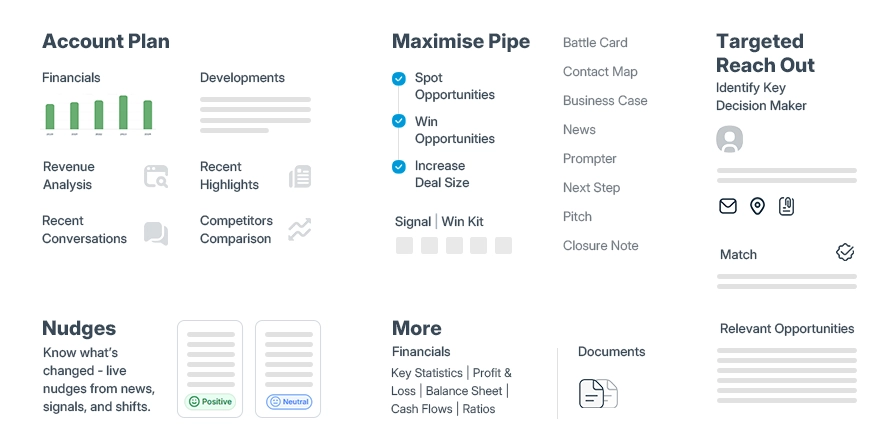
Effective data pipelines form the backbone of any successful revenue intelligence system. In today's data-driven sales environments, organizations face mounting challenges with fragmented information sources, slow processing, and labor-intensive manual processes. Let's examine key optimization strategies to solve these issues.
Manual data entry creates substantial productivity drains in sales environments. Teams using automated activity capture gain back approximately 5 hours weekly, time otherwise spent logging interactions into CRM systems. This technology automatically collects and records every customer touchpoint—from emails and calls to meetings and tasks—directly in your CRM without requiring manual intervention.
Essentially, automated capture works like a virtual assistant that ensures all interactions are systematically documented. The system eliminates the need for sales representatives to manually update records after each customer engagement, instead focusing their time on relationship-building and deal closure. This capability becomes increasingly critical as teams scale.
The types of interactions automatically captured typically include:
Email communications and responses
Call recordings and transcripts
Meeting notes and attendance
Calendar appointments
Text messages and chat logs
Beyond the time savings, automated capture standardizes data inputs across teams, maintaining uniformity throughout your CRM. This consistency eliminates discrepancies between how different team members log information, which frequently occurs with manual entry. Subsequently, this standardization creates cleaner, more organized datasets for analysis.
Data silos represent one of the most persistent obstacles to revenue intelligence optimization. In many organizations, 70% of valuable data remains trapped in disconnected systems. Sales teams often work with different tools than marketing teams, resulting in fragmented customer insights that prevent holistic analysis.
Unified data approaches integrate these disparate sources into a single, cohesive system. This creates what high-performing organizations call a "single source of truth" for all revenue data. Such integration doesn't necessarily require physically moving all data—modern technologies like data virtualization and zero-copy integration can achieve unification without actual data movement.
Initially, implementing unified data solutions requires thorough evaluation of your current landscape. This involves assessing all existing sources—from CRM fields and sales activity logs to email platforms and meeting records—to identify gaps and inconsistencies. Following this assessment, integration efforts should focus on connecting core platforms including CRM, email, calendar, and conversational intelligence tools.
Currently, top-performing companies are 20% more likely to rely on CRM data that's automatically collected and uploaded compared to lower-performing peers. Furthermore, these organizations centralize their revenue data in data lakes that seamlessly integrate with their CRM to capture comprehensive buyer engagement metrics.
ETL (Extract, Transform, Load) pipeline optimization represents a critical aspect of revenue intelligence performance tuning. Inefficient ETL processes create bottlenecks that delay insights and reduce system responsiveness.
Prior to implementing optimizations, conducting systematic pipeline performance auditing is essential. This involves measuring current pipeline metrics against benchmarks to identify bottlenecks using tools like execution logs, resource utilization monitors, and end-to-end latency trackers.
Several proven optimization techniques can dramatically improve ETL performance:
Parallel processing enables multiple tasks to execute simultaneously, significantly reducing processing time for large data volumes
Incremental loads focus on processing only changed data rather than reprocessing entire datasets, improving efficiency
Data partitioning splits large datasets into manageable chunks to enhance load performance
Caching strategies reuse frequently accessed data to reduce redundant computations
Auto-scaling resources based on workload patterns ensures optimal resource allocation
The benefits of these optimizations extend beyond mere technical improvements. Optimized ETL processes lead to faster data processing, better resource utilization, and more reliable insights. By reducing system strain, organizations ensure smoother operations and more agile responses to emerging business opportunities.
STOP CHASING PROSPECTS
START CLOSING DEALS!!
Throughout the optimization process, implementing comprehensive monitoring with key performance indicators provides visibility into pipeline performance. This monitoring helps identify emerging issues before they become critical and measures the impact of optimization efforts.
Accurate forecasting stands at the heart of effective revenue intelligence optimization. AI models have become indispensable tools for sales prediction, yet their effectiveness depends entirely on how they're built, monitored, and refined.
First and foremost, the quality of training data directly determines AI forecasting accuracy. Poor data quality costs companies an average of USD 15.00 million annually, creating an immediate obstacle to accurate predictions. In reality, models built on raw, unrefined data often achieve only 70% accuracy, whereas those with well-crafted features deliver significantly better results.
Data volume plays an equally crucial role. For reliable AI forecasting models, organizations need a minimum of two years of historical data. This timeline ensures the model captures multiple business cycles, seasonal variations, and irregular events that might influence revenue patterns. Yet, merely having large volumes of data isn't sufficient—according to Gartner, 70% of companies report that poor quality processed data negatively impacts their business.
To address these challenges:
Implement robust data validation rules to catch errors before they enter your system
Establish consistent naming conventions across all data sources
Conduct regular data audits to maintain cleanliness and relevance
AI forecasting models don't maintain accuracy indefinitely. Model drift—the degradation of performance due to changes in data relationships—affects approximately 70% of deployed AI systems. Without proper monitoring, even well-trained models "drift" from original parameters and produce unwanted results.
Statistical drift detection uses metrics to compare current and historical data samples. This approach helps identify when the distribution of input data changes or when relationships between inputs and outputs shift. Importantly, automated drift detection can catch accuracy decreases before they significantly impact business decisions.
Retraining schedules dramatically influence model performance. Annual model refreshes can improve accuracy by at least 15%, yet quarterly updates prove more effective for combating drift. As a result, many high-performing organizations implement automated retraining pipelines that trigger updates based on performance thresholds. Time-distribution methods effectively measure deviations between probability distributions, signaling when statistical properties have likely changed.
Feature engineering transforms raw, scattered data into structured inputs that help predict which prospects will convert. This process essentially creates the predictor variables that determine a model's ability to forecast deal progression accurately.
The impact of feature engineering on model performance is substantial. Without well-engineered features, machine learning models struggle to deliver accurate results, causing sales teams to waste time pursuing low-value leads. Hence, effective feature engineering requires both theoretical knowledge and practical implementation.
For revenue forecasting specifically, consider these feature types:
Temporal features: Capture timing aspects like deal age, last activity date, and historical progression rates
Engagement metrics: Measure customer interactions across channels (emails, calls, meetings)
Behavioral signals: Identify patterns that indicate buying intent or hesitation
External factors: Account for market conditions, competitive pressures, and seasonality
Feature engineering remains an overtly human step in AI model development. Since datasets may contain countless possible features, even sophisticated algorithms cannot compute and evaluate them all. Therefore, data scientists must guide algorithms toward the most meaningful variables.
In summary, improving forecasting accuracy through AI models involves maintaining high-quality training data, implementing rigorous drift detection, and developing targeted features that capture the nuances of your sales process. Together, these elements form the foundation of accurate, reliable revenue intelligence systems.
Real-time intelligence makes the difference between closing deals and missing opportunities. For revenue intelligence optimization, the speed at which insights reach your team directly impacts your bottom line. Let's examine three crucial approaches to enhance your system's responsiveness.
STOP GUESSING YOUR PIPELINE
START GROWING IT WITH AI SALES!!
Event-driven architecture fundamentally changes how revenue intelligence systems respond to changes. This architecture consists of three key components: event producers that generate data streams, event consumers that listen for these events, and event routers that transfer information between them. Unlike traditional systems that require constant checking, event-driven systems react immediately when something happens.
The main advantage for sales teams lies in decoupling—producers and consumers operate independently, allowing each component to scale and update separately. Practically speaking, this means:
Sales activities trigger immediate updates across the system
Changes in deal status automatically flow to relevant dashboards
Pipeline modifications instantly alert appropriate team members
By implementing event-driven architecture, your revenue intelligence system becomes more responsive and resilient. If one component experiences issues, the rest continue functioning normally, as each service remains aware of only the event router, not other services. This elastic buffer accommodates surges in workloads, critical during high-volume sales periods.
Modern sales teams need intelligence delivered where they already work. Connecting sales tools directly to communication platforms like Slack creates immediate visibility into pipeline changes without forcing reps to switch contexts.
These integrations deliver several performance advantages:
First and foremost, CRM integration with Slack results in 21% faster response time to sales leads. This integration allows teams to update opportunities directly from Slack, increasing win rates by 27% and sales productivity by 26% on average.
Sales automation pulls information from multiple sources and presents it directly to salespeople within their shared workspace. The two-way syncing ensures that actions in one platform automatically update in the other. For instance, when a contract gets signed and moves to "won" status, the system can automatically start a chat with the deal owner suggesting follow-up actions.
Through keyword notifications, teams can bring experts into deals faster, ultimately accelerating the closing process. Custom bots further enhance performance—the Midas Signals bot, for example, alerts account teams via dedicated channels when buying signals emerge, such as a prospect attending an event.
Buyer intent signals lose value rapidly with time. Revenue intelligence optimization requires minimizing the lag between signal occurrence and actionable notification.
Advanced revenue intelligence tools now surface stalled deals that risk forecast targets, offering recommended actions to get them back on track. These tools detect when deals stall or sale amounts change, prompting reps with appropriate interventions.
AI-powered systems predict a deal's likelihood to close or stall, alongside specific reasons (like a key decision-maker not being contacted). Furthermore, the system makes explicit recommendations, such as "Log Activity" or "Identify Executive Sponsor".
In 2025, high-performing revenue teams deliberately shift from reactive reporting to AI-powered platforms that combine real-time data capture, machine learning, and workflow automation. These systems automatically detect risk, spot customer behavior trends, and trigger follow-ups in tools teams already use, like Slack, Salesforce, or Zoom.
The difference between mediocre and exceptional performance often comes down to actionability—insights appearing as things happen, not after weekly review meetings. Without this immediacy, risk snowballs and team alignment suffers.
Overall, enhancing real-time insights through event-driven architecture, alert automation, and faster signal processing creates a revenue intelligence system that doesn't just collect data but actively drives sales performance through timely, contextual guidance.
As sales teams grow, your revenue intelligence system must scale accordingly without sacrificing performance. Scalability challenges typically emerge once your team exceeds 50 members or when data volume grows exponentially. The ability to maintain fast, reliable performance under increasing load separates leading sales organizations from the rest.
Make Every Rep Speak
Like Your Top 1%
Load balancing distributes computational workloads between multiple computers, significantly reducing latency and improving user experience. For revenue intelligence systems processing massive volumes of sales data, effective load balancing becomes critical to maintain responsiveness.
Several load balancing methods offer different advantages:
Round-robin: An authoritative name server distributes traffic sequentially across servers in a turn-by-turn fashion
Weighted round-robin: Assigns different weights to servers based on capacity or priority
IP hash: Performs mathematical computation on client IP addresses to determine server assignment
Dynamic load balancing: Examines current server state before distributing traffic, adjusting in real-time to server health and capacity
Dynamic load balancing algorithms stand out as particularly valuable for revenue intelligence systems because they account for server health, automatically redirecting traffic from overburdened or poorly performing servers to underutilized ones. This adaptive approach ensures consistent performance even during usage spikes, which often occur at quarter-end or during major sales initiatives.
Horizontal scaling involves adding more machines or nodes to distribute workload across a system. This approach, sometimes called "scaling out," differs fundamentally from vertical scaling (adding resources to existing machines).
For revenue intelligence systems supporting large sales teams, horizontal scaling offers numerous advantages:
First, it significantly enhances availability and fault tolerance. A properly configured horizontally-scaled system can survive the loss of one or more machines while maintaining normal operations. This translates to nearly zero downtime for mission-critical sales analytics.
Second, horizontal scaling can dramatically improve performance by routing traffic efficiently across multiple nodes. Multi-region deployments become possible, allowing analytics services to be positioned closest to the users accessing them—essential for globally distributed sales teams.
Among analytics engines, Presto offers exceptional horizontal scaling capabilities with its storage/compute separation and high-availability features. Notably, cloud-native infrastructure enables elastic scaling where resources automatically adjust based on usage patterns. This occurs through key mechanisms including Horizontal Pod Autoscalers, Cluster Autoscalers, and serverless functions that scale without manual intervention.
Caching temporarily stores frequently accessed data to reduce latency and database load. For revenue intelligence systems, effective caching can deliver response times 10-100x faster than traditional database queries.
The primary benefits extend beyond mere speed:
Reduced database loads and costs
Greater scalability during traffic spikes
Better fault tolerance during outages
Lowered cloud provider egress costs
Several caching strategies prove particularly effective for revenue intelligence applications:
Result caching stores frequently executed query results, ideal for operational dashboards or static reports. Data-level caching stores specific subsets of frequently queried data rather than entire datasets. In-memory caching places data in system RAM for ultra-fast access, particularly valuable for low-latency applications.
Customizable cache invalidation policies ensure the right balance between timeliness and performance. Although caching introduces potential challenges with data staleness, carefully designed invalidation strategies can mitigate this risk while maintaining performance benefits.
Ultimately, scaling system performance requires coordinated implementation of load balancing, horizontal scaling, and strategic caching—creating resilient infrastructure capable of supporting expanding sales operations without performance degradation.
Successful revenue intelligence optimization requires more than just technical excellence; it demands perfect alignment between team workflows and system capabilities. Teams maximize results only when technology adapts to their specific needs instead of forcing unnatural work patterns.
Living dashboards create immediate visibility into performance metrics that static reports simply cannot match. Yet properly configured dashboards must be tailored specifically to each team's requirements. Sales leaders need stage-by-stage conversion details, customer success teams focus on onboarding speed, while executives require high-level revenue snapshots.
Effective dashboards share several critical characteristics:
Real-time data that updates automatically from integrated tools
Trend tracking with thresholds that flag concerning patterns
Visual elements like charts and graphs for quick insights
Drill-down capabilities for exploring granular details
Indeed, custom dashboards serve as personalized command centers where teams track progress toward quotas and goals. Sales representatives benefit from what-if analysis capabilities, allowing them to scenario-plan the optimal path toward meeting targets.
Role-based analytics access ensures each team member sees exactly what they need—nothing more, nothing less. This approach speeds decision-making by eliminating information overload. Account managers need customer health metrics, whereas directors track broader revenue trends.
This structured approach offers numerous benefits:
Enhanced security through encrypted data and strict permissions
Faster performance analysis by eliminating irrelevant information
Clearer accountability with metrics aligned to specific responsibilities
Whenever properly implemented, role-specific views create a unified platform where sales, marketing, and leadership teams operate from the same source of truth. This collaborative environment eliminates data silos while maintaining appropriate access controls.
Approval workflows streamline processes that typically require multiple steps and stakeholder input. Microsoft Power Automate exemplifies this capability, automating document approvals across services including SharePoint, Dynamics 365, and Salesforce.
Automated workflows drive tangible performance improvements:
21% faster response time to sales leads through CRM-Slack integration
27% higher win rates by automating opportunity updates
26% increased sales productivity through streamlined processes
Certainly, these automated systems excel at time-sensitive tasks like enrolling prospects in drip campaigns, moving leads through funnel stages, and sending meeting reminders to sales representatives. The ultimate goal remains consistent: eliminating manual tasks so teams focus exclusively on selling.
STOP GUESSING YOUR PIPELINE
START GROWING IT WITH AI SALES!!
Keeping your revenue intelligence system running at peak performance requires ongoing vigilance. Even after initial optimization, continuous monitoring and testing remain essential for long-term success.
Establishing clear performance benchmarks provides a foundation for ongoing optimization. First, identify acceptable latency thresholds for different workloads—typical benchmarks include under 5 minutes for customer analytics and social media analysis, under 10 minutes for analytics dashboards, and under 15 minutes for business intelligence reports. These benchmarks serve as your baseline against which all future performance is measured.
AI-powered A/B testing dramatically improves how you refine your revenue intelligence system. Unlike traditional testing that requires weeks to collect meaningful data, AI-driven approaches deliver immediate advantages:
Real-time analysis – AI processes heaps of variables at lightning speed while humans typically take days or weeks to analyze similar data
Enhanced data quality – AI automatically cleans data by removing errors, duplicates, and inconsistencies that could skew test results
Audience segmentation – AI segments your audience based on behavior, demographics, and preferences for more targeted optimization
Instead of the traditional 50/50 split in A/B testing, consider implementing a "multi-armed bandit" approach that dynamically allocates more traffic to better-performing variants while still testing alternatives. This method increases efficiency and minimizes losses from underperforming variations.
Ultimately, continuous monitoring prevents performance degradation before it impacts your sales team. AI tools can monitor test data 24/7 and immediately flag unexpected deviations from normal patterns. This constant vigilance helps diagnose whether issues stem from system glitches or actual shifts in user behavior. Throughout this process, establish clear alert thresholds that trigger notifications when performance metrics fall below acceptable levels.
Throughout this article, we've explored essential strategies for revenue intelligence optimization that can transform your sales operations. Revenue intelligence systems serve as the backbone of modern sales teams, yet without proper tuning, they often become bottlenecks rather than accelerators.
Effective performance tuning starts with understanding your system architecture—how CRM data, call analytics, and engagement tracking work together to create a unified view of customer interactions. After establishing this foundation, identifying performance bottlenecks becomes possible. Slow data ingestion, dashboard latency, and manual data entry waste valuable time that your team could spend closing deals.
Data collection pipelines represent another critical optimization area. Automated activity capture, unified data lakes, and tuned ETL processes significantly reduce the lag between customer interactions and actionable insights. Additionally, AI forecasting models offer unprecedented accuracy when trained with quality data and regularly updated to prevent model drift.
Real-time insights make the difference between proactive and reactive sales teams. Event-driven architecture, alert automation, and streamlined buyer intent signal processing ensure your team receives information when it matters most—not after opportunities have passed.
Scaling presents unique challenges as your team grows. Load balancing, horizontal scaling, and strategic caching maintain system performance even as data volumes expand exponentially. Similarly, custom dashboards, role-based access, and workflow automation align your technology with your team's specific needs rather than forcing unnatural work patterns.
Lastly, continuous monitoring and testing ensure your optimization efforts deliver lasting results. Performance benchmarks, AI-driven A/B testing, and system health monitoring prevent gradual degradation while identifying new optimization opportunities.
Revenue intelligence optimization isn't a one-time project but an ongoing process. Though these improvements require investment, the results speak for themselves—faster sales cycles, higher close rates, and ultimately, increased revenue. Therefore, implementing these strategies will transform your revenue intelligence system from a mere data repository into a powerful competitive advantage that drives measurable business growth.
Your SDRs work 9–5
AI Sales works 24/7!!
The core components typically include a CRM system, call analytics tools, and engagement tracking capabilities. These work together to provide a unified view of customer interactions and sales performance.
To enhance AI forecasting accuracy, focus on using high-quality training data, implementing regular model retraining schedules, and developing targeted features that capture the nuances of your sales process.
Implement load balancing techniques, utilize horizontal scaling of analytics engines, and employ effective caching strategies for frequently accessed metrics to minimize latency in real-time dashboards.
Automated activity capture saves time by automatically logging customer interactions, standardizes data inputs across teams, and allows sales representatives to focus more on relationship-building and closing deals rather than manual data entry.
Continuous monitoring helps prevent performance degradation, identifies new optimization opportunities, and ensures that the system remains aligned with evolving business needs. It involves setting performance benchmarks, conducting A/B testing, and implementing system health alerts.


Category: Uncategorized Tags: ai, AIOps, Artificial Intelligence, cloud, cloud platform, Cybersecurity, Information and Communications Technology , VR